Open now · By request
Llama 97 OS playtest
by LunaLucid Studios
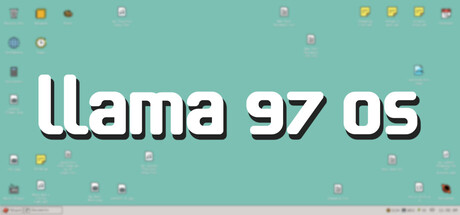
Llama 97 OS is a lightweight, cozy virtual desktop experience. Gamify focus and productivity with various tools or customize your own LlamaSpace profile and check out your friends' profiles too!
It's free to ask. The developer chooses who gets in.
- Access
- By request
- On playtest since
- Oct 15, 2026
- Planned release
- Coming soon
- Developer
- LunaLucid Studios
- Platforms
- Windows
- Players
- Single-player
- Languages
- English
How to join the Llama 97 OS playtest
- Open the game's Steam page with the Request access button. Sign in to Steam if it asks.
- Request access to the Llama 97 OS playtest there. It's free and doesn't commit you to anything.
- The developer lets players in, often in batches, so it can take a while. Steam emails you when you're in, and the playtest appears in your library.
New to playtests? How Steam playtests work
About Llama 97 OS
Experience the 90s (kinda) with this retro-esque virtual desktop experience full of productivity tools continuing to receive updates and improvements, as well as satisfying social features that evoke a relaxing sense of being apart together.
Llama 97 OS is similar to your other desktop apps, but lighter than most because it was built with SolidJS instead of React. Since it wasn't made with a heavy game engine, there will not be any performance impact on other games running at the same time.
Core System:
- Customizable desktop interface: Modular. Cool. Has a drag & drop icon grid system.
- Documents file system: You pick a folder. You now have access to all the files in that folder.
Networking:
- SurfSphere browser: Surf the web (just pretend).
- eLlama file sharing: "Download" user-made workshop items and expand your desktop programs list.
- LlamaSpace social network: Decorate your profile, create your own llama avatar, and break your friends' hearts by removing them from your top 8 today.
Productivity:
- Notepad (markdown support): A text editor with full markdown capabilities and live-saving features.
- AstroCode IDE: A text editor for code with optional auto-saving. Perfect for programming on a screen inside your screen (use at your own discretion).
- Calendar & Reminders: Never forget your anniversary again.
- Calculator: It calculates things.
- Timer: It counts for you.
Entertainment:
- Paint: Inspired by MS Paint, but slightly more ambitious (Well, it tries its best, okay?)
- Music Player: You can play music you find from eLlama.. though if that's torturous, you can play your own local music files.
Privacy:
Your data is not stored or collected. This application contains various tools to interact with your local files (similar to Obsidian). The only stored information are customization options within social features, as well as social interactions. This is so other players can see your customizations and input.
From the game's Steam page.